API Keys
An API Key is a unique, secret token used to identify and authenticate a user accessing an API.
On DorsalHub, API Keys are used to grant programmatic access to the DorsalHub API, giving your workflows and tools access to records, tags and annotations stored on DorsalHub.
API Keys vs. Passwords
Fundamentally, API Keys and passwords share the same purpose: authentication.
- Your email and password are used for authenticating with (logging into) the DorsalHub website.
- Your API Key is for authenticating with the DorsalHub API.
Managing Your API Keys
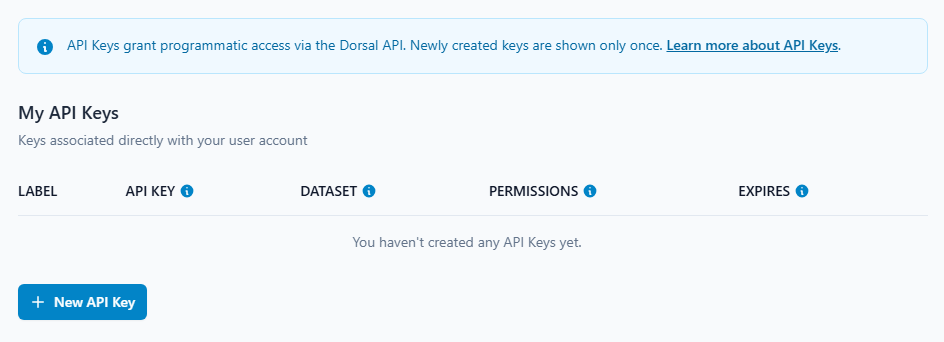
You can create, view, and revoke your API Keys from your account settings page.
Manage Keys: https://dorsalhub.com/settings/api-keys
Creating a Key
-
Create a new API Key by clicking the "New API Key" button account settings page.
-
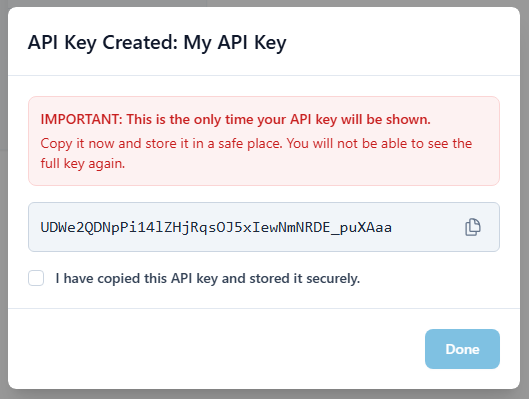
When you create a new API Key, it will be shown only once.
-
For your security, DorsalHub will never show you the full key again. This is a deliberate security feature: we cannot recover or show you the key again as we do not store the plaintext key in our database.
-
If you lose a key, or believe it to be compromised, you must revoke it and create a new one.
Storing Your Key Safely
-
Because an API Key provides direct access to your account, you should protect it as you would a password.
Never Hardcode Your Key
Never commit your API Key to a Git repository, paste it in a public forum, or embed it directly in your application's source code. If your code is public, the key will be compromised.
-
Here are the best practices for storing your key:
1. For Local Development
-
We recommend using the
dorsal auth logincommand. This is the most secure and permanent method for your development machine.
This command stores your key in a global configuration file which is located in your local home directory (e.g., /home/user/.dorsal/dorsal.toml).
2. For CI/CD & Production
-
For non-interactive environments like automated scripts, CI/CD pipelines, or production servers, use an environment variable to store the API Key.
-
Dorsal will automatically detect and use this variable. In a production or CI/CD setting, this variable should be set using your platform's secret manager (e.g., GitHub Actions Secrets, AWS Secrets Manager, Docker Secrets).
3. Advanced: Per-Project Keys
-
If you need to use a different API key for a specific project, and you are unable to control the environment, you can run:
-
This will save the key in a
dorsal.tomlfile within your current project directory.Action Required: Update Your .gitignore
A project-level config file containing an API key must not be committed to Git.
-
For safety, after using
dorsal auth login --project, you should run: -
This command will add the config file to your project's
.gitignorefile to help prevent you from accidentally committing your secret key.
Revoking a Key
-
If you believe your key has been lost, leaked, or compromised, you must revoke it immediately to protect your account.
-
Revoking a key permanently deactivates it. Any application using that key will no longer be able to access DorsalHub.
To revoke a key:
- Go to your Manage API Keys page.
- Find the key you want to deactivate (using its Label or API Key prefix).
- Click the "Revoke" button (the trash icon).
- Create a new API Key to replace the old one.
- Update any scripts or applications with the new key.