Search, Automation & Analysis
The dorsal.api module contains high-level workflow functions.
These functions are for generating and managing file records, both locally and on DorsalHub.
This guide provides examples for some of these functions. All dorsal.api functions are documented at Python API Reference: File Functions
Batch Processing
scan_directory
- Scans a directory containing files, and generates file records for each file
- Returns a list of
LocalFileobjects.
Scan a directory
from dorsal.api import scan_directory

# Creates a list of LocalFile instances; one for each file in the directory
files = scan_directory(
    dir_path="./projects/alpha",
    recursive=True
)
For information on working with LocalFile, see: `Working with Files
index_directory
- Scans a directory and privately publishes the metadata to DorsalHub (set
public=Trueto create public metadata records) - Returns a detailed summary of the operation, including the URL and status of all indexed file records
Index a directory
from dorsal.api import index_directory

# Generates and publishes the metadata record (File Record) for all files in a directory
summary = index_directory(
    dir_path="./projects/alpha",
    recursive=True
)
Search
search_user_files.
- Search any indexed file record
- Supports the full Dorsal Search Syntax.
Example: Find and download metadata for all PDFs labeled "urgent"
Search Indexed File Metadata
from dorsal.api import search_user_files

response = search_user_files(
    query="label:urgent extension:pdf",
    sort_by="date_modified"
)

print(f"Found {response.pagination.record_count} urgent PDFs.")

first_result = response.results[0]  # This is a full File Record (`FileRecordDateTime`) object
print(f"Tags: {first_result.tags}")
which would print something like:
Found 23 urgent PDFs.
Tags: [FileTag(id='69243f757dda396ae293d8b6', name='label', value='urgent', value_code=None, private=True, hidden=False, upvotes=1, downvotes=0, origin='DorsalHub'), FileTag(id='69243ff0b675d49005527fae', name='extension', value='cbr', value_code=None, private=True, hidden=False, upvotes=1, downvotes=0, origin='DorsalHub')]
Generating Reports
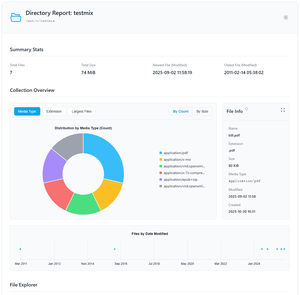
generate_html_directory_report.
- Create a portable, offline, self-contained HTML "dashboard" for a directory
- Visual breakdown by size and type and summaries for every file, powered by Chart.js
- Includes pagination, filters and a dark-mode toggle
Generate a Directory Report
from dorsal.api import generate_html_directory_report

html_report = generate_html_directory_report(
    dir_path="./projects",
    output_path="storage_audit.html",  # Specify save path
    recursive=True
)
Interactive Demo
Click the thumbnail below to open a sample HTML report in a new tab:
➡️ Continue to: 4. Custom Annotation Models Part 1: Hello, Word!